projects /

Andermic Photo Importer
A lightweight native macOS app that copies only new photo and video originals from a camera card into ordinary date or event folders.
No account, no cloud service, no photo catalog database. Photo development stays in DxO PhotoLab or whichever editor you prefer.
How it works
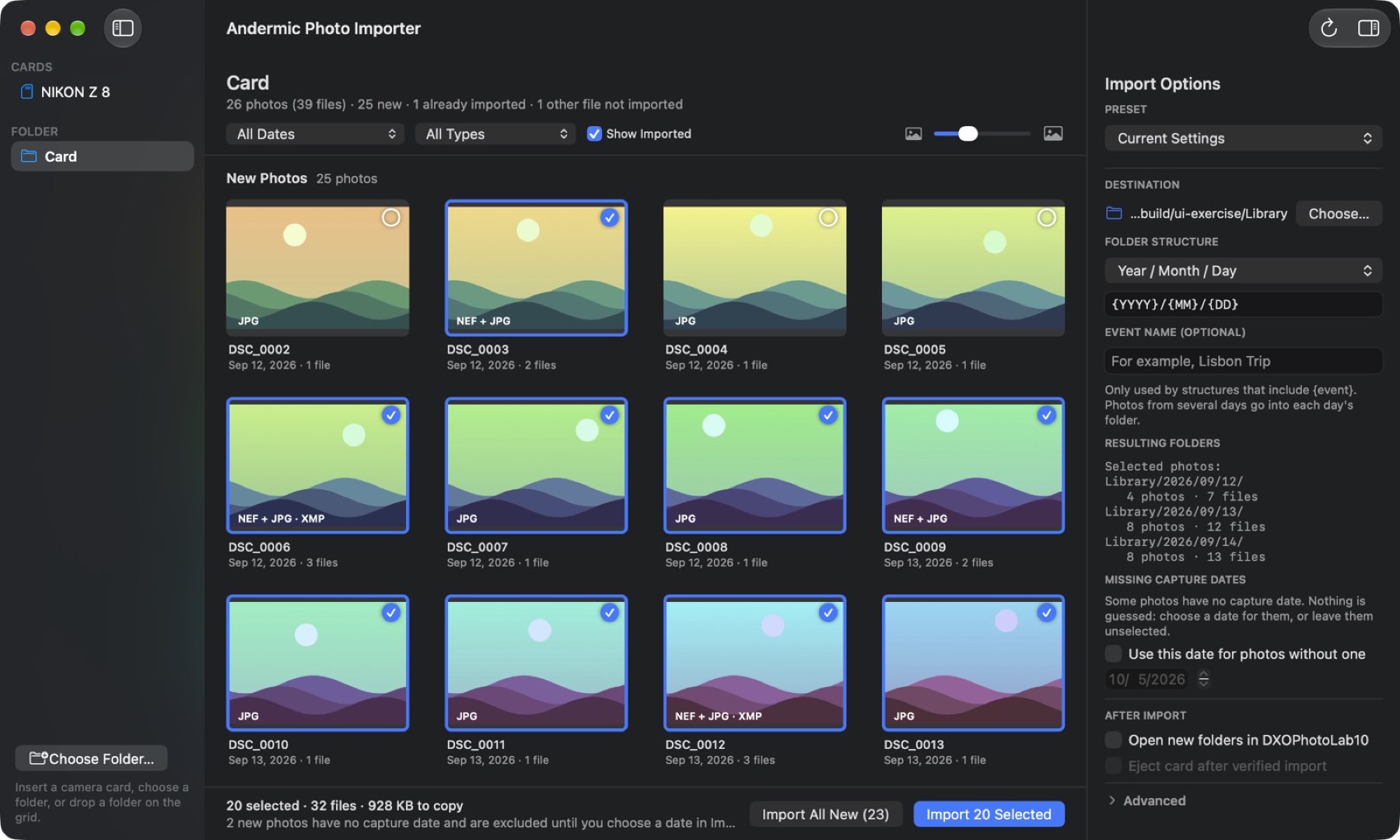
- Insert a card. The app opens and scans it. You can also choose a folder or drop one on the window. Scanning only previews; nothing is copied until you click Import.
- Review the grid. New photos are already selected. Click to include or exclude, Shift-click for a range, filter by date or file type, or hide what’s already imported.
- Pick a destination. It defaults to
~/Pictures/2026/10/04/. Folder layouts and presets are remembered. An event name is optional. - Import. Import the selection or everything new, then optionally open the folders in your editor and eject the card once the copies are verified.
Folder structures
| Structure | Example |
|---|---|
| Year / Month / Day (default) | 2026/10/04/ |
| Year / Year-Month-Day | 2026/2026-10-04/ |
| Year / Month-Day - Event | 2026/10-04 - Lisbon Trip/ |
| Year / Event | 2026/Lisbon Trip/ |
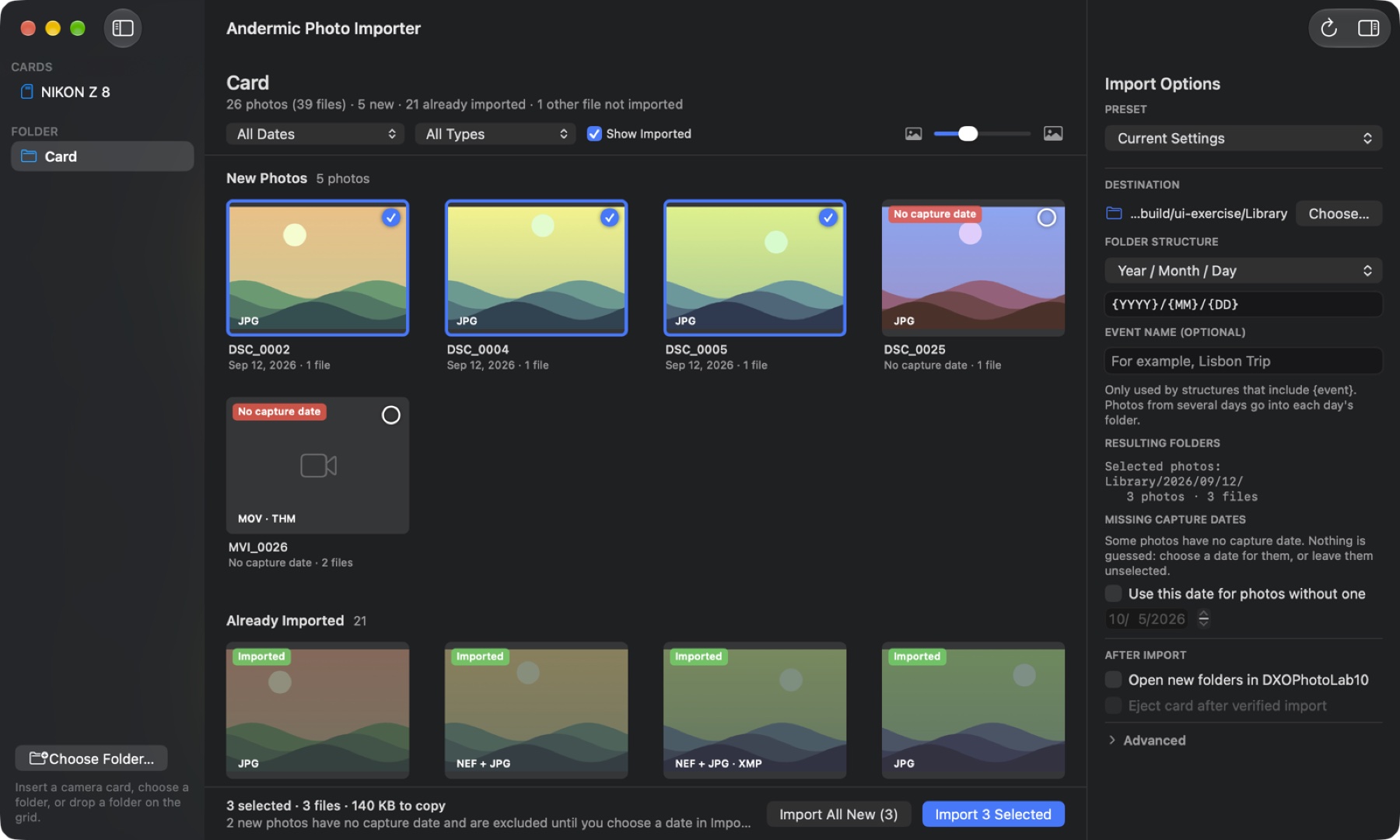
Each photo goes into the folder for its own capture day, so a card that spans several days needs no event name. Photos without a capture date are never guessed at.
Copy safety
- Originals are copied byte for byte. Files on the card are never modified or deleted.
- A photo counts as already imported only when a file with identical contents exists under the destination, even if it was renamed.
- Copies are staged, read back, verified, published without overwriting, and verified again before the import finishes.
- RAW+JPEG pairs, Live Photos, and sidecars (
.xmp,.dop, …) are kept together and each file is verified individually.
Get it
Version 0.1.0-alpha.2 is a source preview: there’s no prebuilt app yet, so you build it on your own Mac. It takes a couple of minutes and needs only Apple’s command-line tools.
xcode-select --install
git clone https://github.com/endthestart/andermic-photo-importer.git
cd andermic-photo-importer
./build.sh
cp -R "dist/Andermic Photo Importer.app" /Applications/
Real-camera, clean-machine, and older-macOS testing is still in progress, so treat this as a preview and keep your card until you’ve checked the copies. The app is MIT licensed; bundled Perl and ExifTool keep their own licenses.